Round Robin vs Least Connections Load Balancing
Compare load balancing algorithms like round robin, least connections, IP hash, and L7 routing, plus when each fails in production.
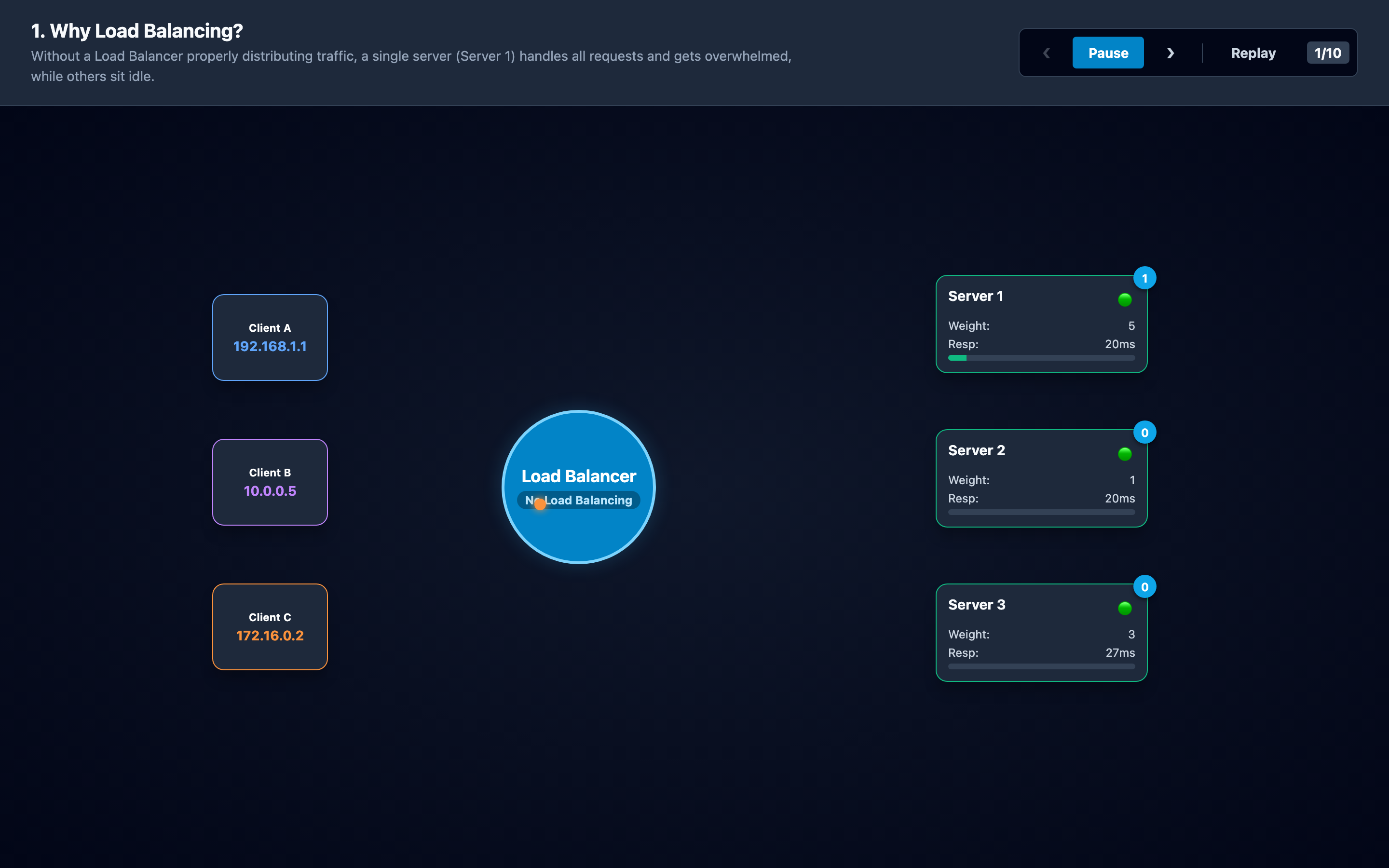
Why this matters: Not All Servers Are Created Equal
You have three backend servers behind an Nginx load balancer. Server A is a 32-core machine running your billing API. Server B is an 8-core instance handling the same endpoints. Server C is a 4-core box you spun up during Black Friday and forgot to decommission.
Round robin sends them each 33% of traffic. Server C melts at 200 req/s while Server A idles at 15% CPU utilization. Your p99 latency spikes to 4,500ms because every third request hits an overwhelmed machine.
This scenario plays out constantly in production. Teams default to round robin because it’s simple, stateless, and requires zero configuration beyond listing backends. But the moment your fleet becomes heterogeneous — different instance types, different workloads, different response times — round robin’s simplicity becomes its biggest liability.
The choice of load balancing algorithm directly determines how evenly your traffic distributes, whether session state survives across requests, and how gracefully the system handles server failures. The interactive visualization walks through six distinct algorithms across 10 animated stages, showing how request dots flow from clients through the load balancer to backends with real-time connection counts and response times.
Practical note Load balancing algorithms encode assumptions about your workload. When those assumptions are wrong, adding more servers can make the imbalance more expensive.
The mental model: Six Algorithms Compared
Round Robin cycles requests through servers in order: 1→2→3→1→2→3. It maintains zero state — no connection tracking, no response time monitoring. Each server gets an equal share regardless of its actual capacity or current load. This works when all backends are identical and handle requests in roughly the same time.
Weighted Round Robin extends this with server weights. A server with weight 3 receives three requests for every one request sent to a weight-1 server. This lets you account for heterogeneous hardware. An Nginx configuration looks like:
upstream backend {
    server 10.0.1.10 weight=5;  # 32-core, handles 5x share
    server 10.0.1.11 weight=2;  # 8-core, handles 2x share
    server 10.0.1.12 weight=1;  # 4-core, handles 1x share
}
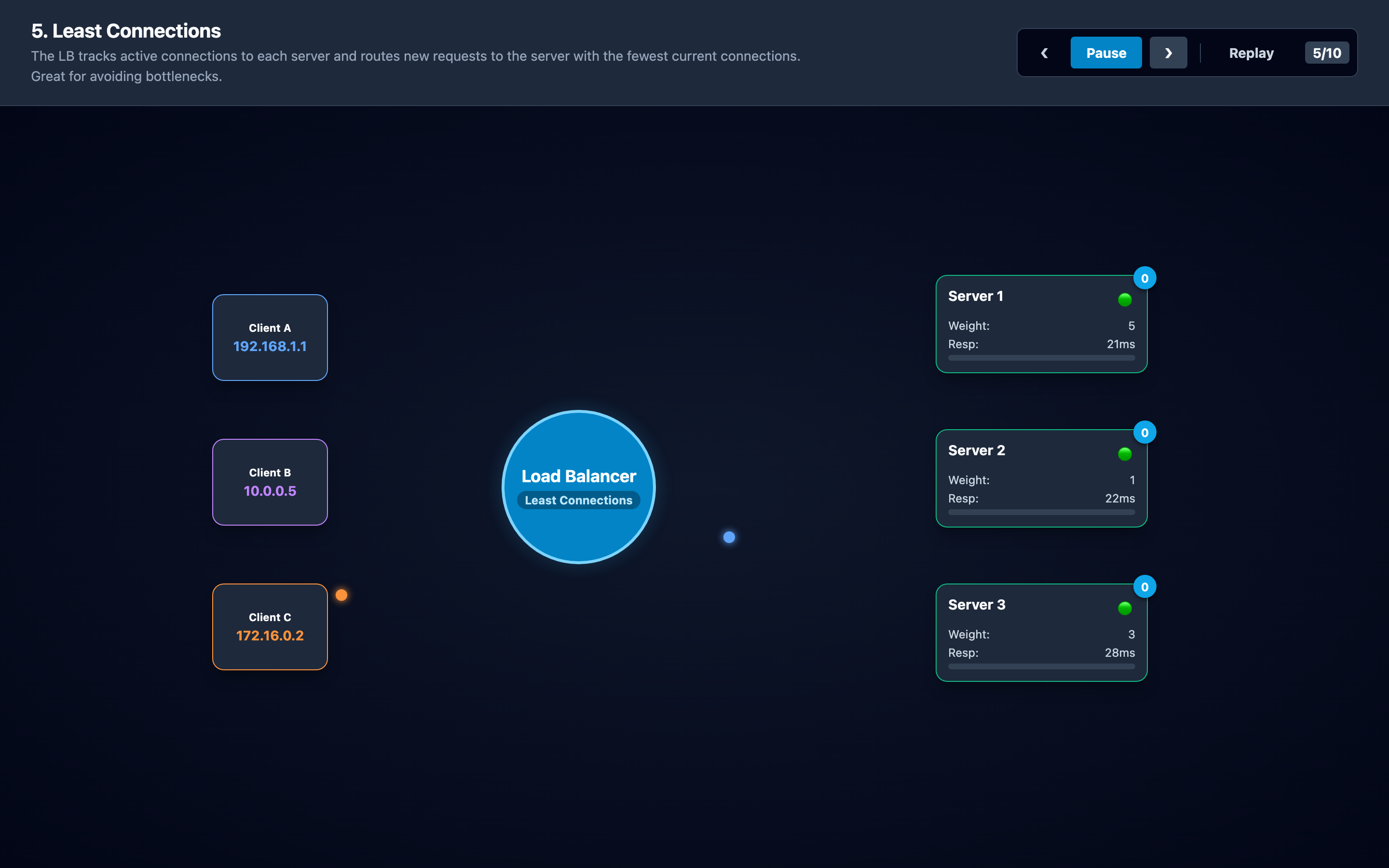
Least Connections tracks active connections on each backend and routes each new request to the server with the fewest. This adapts dynamically to slow servers — if Server C is bogged down with long-running requests, its connection count rises and new traffic shifts to Server A and B automatically. The tradeoff: the load balancer must maintain state for every connection.
Least Response Time goes further by tracking both connection count and average response latency. It routes to the server that would provide the fastest response. This is the most “intelligent” L7 strategy but requires continuous latency measurement overhead.
IP Hash computes a hash of the client’s IP address and maps it to a specific backend. The same client always reaches the same server, providing session affinity without cookies or external session stores. Useful for stateful applications, but it creates imbalance when client traffic is unevenly distributed — a single corporate NAT can send 10,000 users through one IP.
Content-Based (L7) routing inspects HTTP headers, URL paths, or request bodies to route traffic. API requests go to the API pool, static assets go to the CDN pool, WebSocket connections go to the WebSocket pool. This requires full request parsing at the load balancer layer, adding latency compared to L4 (transport-level) balancing.
Hint The visualization lets you step through all six algorithms side by side. Try switching between Round Robin and Least Connections to see how traffic distribution changes when backends have different response times.
Decisions that matter
-
Algorithm Selection (
round-robin/least_conn/ip_hash/weighted): The fundamental choice. Round robin for homogeneous stateless services. Least connections for heterogeneous or variable-latency backends. IP hash for session affinity. The visualization lets you step through each algorithm and watch the traffic distribution change in real time. -
Server Weights (1–10): Only relevant for weighted round robin. A weight of 1 sends baseline traffic. A weight of 10 sends 10x that baseline. Misconfigured weights cause the same imbalance problems as raw round robin — set them based on actual CPU/memory capacity, not arbitrary estimates.
-
Health Check Interval (5–30 seconds): How frequently the LB probes backends with HTTP GET or TCP connect checks. At 5 seconds, you detect failures quickly but generate significant health check traffic. At 30 seconds, a dead server receives traffic for up to 30 seconds before removal. The interactive visualization shows how health checks detect failure and remove unhealthy servers.
-
Slow-Start Window: After a health check succeeds, slow-start keeps the recovered server in a
warmingstate and raises its configured traffic weight from 0% to 100% over the recovery window. The visualization models a fixed 30-second ramp and marks the serverhealthyonly when it reaches 100%; its resulting pool share still reflects the other backends’ configured weights. Without slow-start, a cold server with empty caches gets hit with full production traffic instantly, often causing it to fail again. -
Connection Drain Timeout (10–60 seconds): When removing a server (for maintenance or failure), how long existing connections are allowed to complete before being forcefully terminated. Set too low, and in-flight requests get
502errors. Set too high, and the drain blocks deployment pipelines.
Where it breaks: Single Point of Failure Without HA
The failure mode: You deploy a single Nginx load balancer in front of 8 backend servers. The LB’s host runs out of disk space due to access log rotation failure. Nginx stops accepting new connections.
All 8 backend servers are healthy but unreachable. Your monitoring shows green health checks on every backend while users see Connection refused errors.
What you will notice: All backends report zero traffic simultaneously — the signature of an LB failure, not a backend failure. Users from every region fail at the same time. Your uptime monitor hits the LB’s VIP and gets ECONNREFUSED. SSH into the LB node and check df -h — root filesystem at 100%.
# Check if Nginx is accepting connections
curl -v http://10.0.1.1:80/health
# Connection refused = LB is down, not backends

# Verify backends are healthy independently
for i in 10 11 12; do curl -s http://10.0.1.$i:8080/health; done
# All return 200 OK — the problem is the LB, not the backends
What I would do: Deploy load balancers in active-passive pairs with VRRP/keepalived. Use separate health checks that monitor the LB itself (not just the backends). Implement log rotation with logrotate and copytruncate to prevent disk exhaustion. For cloud deployments, use managed LBs (ALB, NLB, Cloud Load Balancing) that handle HA automatically.
Where it breaks: Backend Connection Leaks Under Least Connections
The failure mode: You configure least-connections balancing for a Java API service. One backend has a bug where HTTP/1.1 keep-alive connections are never closed by the application — the server’s Connection: keep-alive response keeps the LB’s connection count incrementing but never decrementing.
The LB sees this server with 4,000 “active” connections and routes all new traffic to the other two servers. Those servers overload at 6,000 req/s each while the leaky server sits at 12% CPU with 4,000 idle connections.
What you will notice: The least-connections algorithm shows a massive imbalance: one server with a very high connection count receiving zero new traffic, while other servers are at maximum capacity. Prometheus metrics show nginx_upstream_connections{server="10.0.1.10"} climbing monotonically without dropping. The “busy” server’s actual CPU is low — it’s not doing work, just holding stale connections.
# Check per-backend connection counts
curl -s http://localhost:8080/upstream_status | jq '.peers[] | {server, active}'
# Output: {"server": "10.0.1.10", "active": 4012}  <-- leak
#         {"server": "10.0.1.11", "active": 287}
#         {"server": "10.0.1.12", "active": 305}

# Verify the connections are stale on the backend
ss -tn state established | grep 10.0.1.10 | wc -l
What I would do: Set keepalive_timeout and keepalive_requests limits on the LB’s upstream connections. In Nginx, configure max_conns per upstream server to cap the connection count.
Fix the backend application’s connection lifecycle — ensure HTTP responses include proper Connection: close headers when the connection pool is exhausted. Monitor per-server connection counts in Grafana and alert on connection count divergence across backends.
Warning Connection leaks are silent — the affected server appears “healthy” because its CPU is low. Only per-server connection count monitoring will catch this failure mode before it cascades.
Where it breaks: Sticky Session Imbalance Under IP Hash
The failure mode: You enable IP hash for session affinity because your application stores session state in local memory. A major enterprise client with 15,000 employees all egress through a single NAT IP address. IP hash maps all 15,000 users to a single backend server.
That server runs at 98% CPU while the other 7 servers average 12% CPU. Adding more backend servers doesn’t help — IP hash deterministically maps the same IP to the same server.
What you will notice: Grafana shows one server with 10x the request rate and CPU usage of all others. The dashboard looks like a bar chart with one tall bar and seven short ones. Increasing backend count doesn’t change the distribution — the hot server stays hot. Users from that enterprise client report p99 latencies of 3,800ms while other users see 85ms.
# IP Hash assigns all traffic from one NAT IP to one server
upstream backend {
    ip_hash;
    server 10.0.1.10;  # Gets 100% of 15,000-user enterprise
    server 10.0.1.11;  # Gets normal traffic
    server 10.0.1.12;
}
# Fix: Switch to consistent hashing with a better key
upstream backend {
    hash $cookie_sessionid consistent;
    server 10.0.1.10;
    server 10.0.1.11;
    server 10.0.1.12;
}
What I would do: Replace IP hash with consistent hashing using a higher-cardinality key like $cookie_sessionid or $request_uri. This distributes traffic based on the session cookie value, which is unique per user, not per NAT IP.
If session affinity isn’t strictly required, offload session state to Redis and switch to least-connections. The interactive visualization shows how IP hash maps clients to servers versus how consistent hashing distributes across the ring.
The tradeoff
| Algorithm | Pros | Cons |
|---|---|---|
| Round Robin | Zero state, dead simple, predictable | Ignores server capacity and current load |
| Weighted Round Robin | Accounts for heterogeneous hardware | Weights are static, don’t adapt to real-time load |
| Least Connections | Adapts dynamically to slow servers | Requires connection tracking state; vulnerable to connection leaks |
| Least Response Time | Routes to fastest server, best user experience | High measurement overhead, complex to implement |
| IP Hash | Session affinity without external state | Hot-spot risk from NAT IPs, can’t add servers without rehashing |
| L7 Content-Based | Route by URL, header, or body; fine-grained control | Full request parsing adds 1–5ms latency per request |
| L4 (Transport) | Fast — no request parsing, just TCP/UDP forwarding | No visibility into HTTP headers, URLs, or content |
Hint For most teams, start with Least Connections. It adapts dynamically and handles heterogeneous backends well. Only switch to IP Hash or content-based routing if you have specific session affinity or routing requirements.
A practical checklist
Step 1: Identify whether the problem is distribution or capacity. If all servers are equally overloaded, you need more servers. If one server is overloaded and others are idle, you have an algorithm mismatch.
Step 2: Check your algorithm matches your workload. Run curl http://lb-host/upstream_status or check Nginx stub status to see per-backend request counts. If they’re uneven and you’re using round robin, your backends have different response times — switch to least connections.
# Check current distribution across backends
curl -s http://localhost/nginx_status
# Or use Prometheus query
# rate(nginx_upstream_responses_total[5m]) by (upstream_addr)
Step 3: Validate health checks are working. Crash a backend intentionally and time how long the LB takes to stop sending traffic. If it takes more than 2 health check intervals, your thresholds are misconfigured.
Step 4: Test slow-start on recovery. Restart a crashed backend and monitor its CPU. If it spikes to 100% immediately, enable slow-start to gradually ramp traffic over 30–60 seconds.
Step 5: Monitor connection counts per backend. Set up Grafana dashboards that show active connections per upstream server. Alert when any single server’s connections exceed 2x the average — this catches both hot-spotting and connection leak bugs.
Try it yourself
The visualization steps through all six algorithms across 10 animated stages. Watch request dots flow from clients through the load balancer to backends. See connection counts shift in real time as algorithms react (or don’t react) to server load changes. The difference between round robin and least connections becomes obvious in seconds.
Try the interactive Load Balancing Algorithms visualization — step through each algorithm, watch traffic distribution in real time, and understand when round robin breaks down.