SQL Injection: How It Works and How to Stop It
Learn how SQL injection attacks bypass logins, extract data, and abuse timing side channels, and why parameterized queries stop them.
Why this matters
In 2024, SQL injection was responsible for 23% of all critical web application vulnerabilities reported in the OWASP Top 10. It’s been on that list since 2003. Despite decades of awareness, security audits still find SQL injection in production applications — from startups to Fortune 500 companies.
The reason is deceptively simple. A developer writes a login query by concatenating user input directly into the SQL string: "SELECT * FROM users WHERE username = '" + username + "' AND password = '" + password + "'". The input ' OR '1'='1 turns the query into SELECT * FROM users WHERE username = '' OR '1'='1' AND password = '' OR '1'='1' — a tautology that returns every user in the table.
The attacker is now logged in as the first user in the database, which is often the admin.
This isn’t just about login bypass. A well-crafted SQL injection payload can dump the entire database (UNION SELECT), modify data (; DROP TABLE users--), read files from the server (LOAD_FILE('/etc/passwd')), or exfiltrate data one bit at a time through timing side-channels (IF(SUBSTRING(password,1,1)='a', SLEEP(5), 0)).
The attack surface is any input that reaches a SQL query — form fields, URL parameters, HTTP headers, cookies, and even values stored in the database itself.
My rule of thumb Treat SQL construction as an API boundary. If user input can change the shape of the query, you have a bug, no matter how much validation exists upstream.
The mental model
SQL injection exploits the fundamental flaw in string concatenation-based query construction. The database parser cannot distinguish between the SQL command structure and the user-supplied data because they’re combined into a single string before parsing.
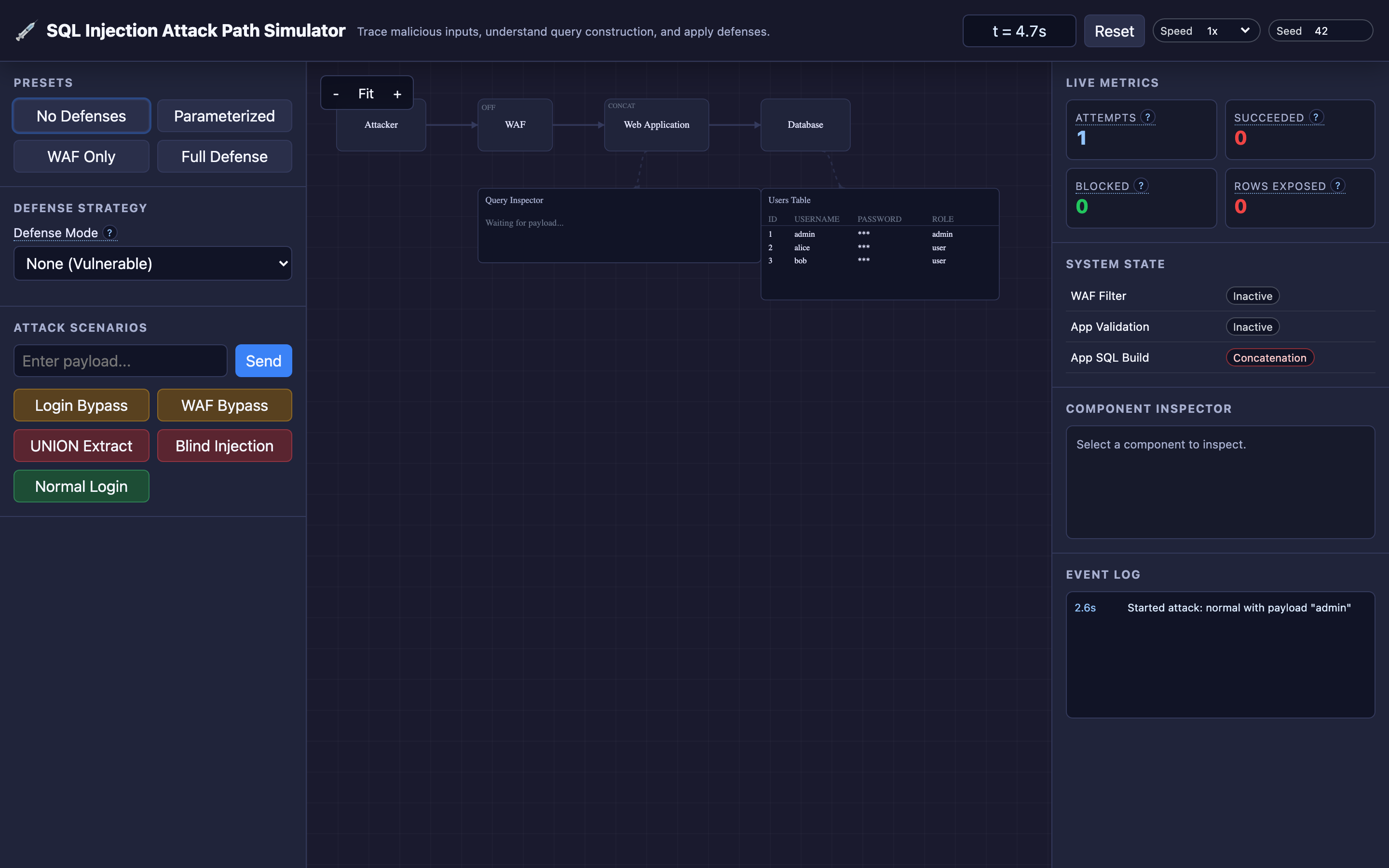
The interactive demo models four components in the attack path:
Attacker Browser: Sends malicious payloads designed to alter SQL logic — from simple tautologies like ' OR '1'='1 to UNION-based extraction queries that pull data from other tables.
WAF (Web Application Firewall): Inspects incoming payloads against a regex blocklist. It catches obvious patterns like OR '1'='1' but can be bypassed with encoding tricks, case variations (oR '1'='1'), or comment injection ('/**/OR/**/1=1--).
Web Application: Constructs the final SQL query using either vulnerable string concatenation or secure parameterized queries. In concatenation mode, the user input becomes part of the SQL syntax. In parameterized mode, the query structure and data are sent to the database separately.
Database: Executes the received query. If the injected logic creates a tautology (always-true condition), the database returns all matching rows — potentially the entire user table, including password hashes and personal data.
The defense modes in the interactive demo demonstrate the escalation: no defenses (everything is vulnerable), WAF only (catches basic payloads but bypassed by creative encoding), input validation (blocks special characters but may reject legitimate names like “O’Brien”), and parameterized queries (the definitive defense).
Decisions that matter
| Parameter | Range / Options | Low End | High End |
|---|---|---|---|
| Defense mode | None, WAF, Input Validation, Parameterized Queries | No defenses — every SQL injection payload succeeds; full database exposure | Parameterized queries — SQL injection is structurally impossible regardless of payload |
| WAF rule strictness | Pattern count, regex complexity | Few rules catch only ' OR '1'='1 — trivially bypassed with encoding or comments | Aggressive rules block anything with quotes, semicolons, comments — generates false positives for legitimate inputs like O'Brien |
| Input validation allowlist | Character set restrictions | Minimal validation ([a-zA-Z0-9]) blocks most injections but rejects valid international names, email addresses with +, etc. | No character restrictions — validation alone cannot prevent injection if queries use concatenation |
| Query construction method | Concatenation vs parameterized | String concatenation — "SELECT * FROM users WHERE id = " + input — vulnerable to any unescaped input | Parameterized — "SELECT * FROM users WHERE id = ?" with bound parameter — input is always treated as data |
| Error verbosity | Detailed, generic, suppressed | Detailed errors (You have an error in your SQL syntax near...) leak database structure to attackers | Suppressed errors (generic 500 page) prevent information leakage but make debugging harder for developers |
Where it breaks: Dynamic Query Concatenation Bypasses All Frontend Defenses
The failure mode: A developer implements client-side JavaScript validation that strips single quotes from the login form input. They also add a WAF rule that blocks the exact string ' OR '1'='1.
An attacker bypasses the client-side validation entirely (it runs in their browser — they control it) by sending the request directly with curl. They bypass the WAF by using a URL-encoded payload: %27%20OR%201%3D1%20--%20. The web application URL-decodes this to ' OR 1=1 -- , concatenates it into the SQL query, and the database returns all users.
What you will notice:
- WAF logs show clean requests — the encoded payload doesn’t match the WAF’s plaintext regex rules
- Application access logs show a successful login (HTTP
200) from an unusual IP address or user agent - Database query logs (if enabled) show
SELECT * FROM users WHERE username = '' OR 1=1 -- ' AND password = ''— the--comments out the password check - User reports account access from unknown locations; session table shows concurrent sessions from different geographies
What I would do:
Replace string concatenation with parameterized queries in every database interaction:
# VULNERABLE — never do this
cursor.execute(f"SELECT * FROM users WHERE username = '{username}' AND password = '{password}'")

# SECURE — parameterized query
cursor.execute("SELECT * FROM users WHERE username = %s AND password = %s", (username, password_hash))
// VULNERABLE
Statement stmt = conn.createStatement();
ResultSet rs = stmt.executeQuery("SELECT * FROM users WHERE username = '" + username + "'");
// SECURE
PreparedStatement stmt = conn.prepareStatement("SELECT * FROM users WHERE username = ?");
stmt.setString(1, username);
ResultSet rs = stmt.executeQuery();With parameterized queries, the database receives the query structure and data separately. The query is compiled first: SELECT * FROM users WHERE username = ? AND password = ?. Then the parameters are bound.
Even if the parameter contains ' OR '1'='1, it’s treated as a literal string value, not SQL syntax. The database searches for a user whose username is literally the string ' OR '1'='1 — which doesn’t exist.
Warning Client-side validation and WAFs are speed bumps, not walls. An attacker who controls the browser can bypass both entirely with
curlor a proxy tool. Parameterized queries are the only defense that works at the database level.
Where it breaks: Second-Order SQLi From Stored Unescaped Input
The failure mode: A registration form properly uses parameterized queries to insert user data. A user registers with the username admin'--. The parameterized INSERT stores this value safely in the database.
Weeks later, a new feature is deployed: an admin dashboard that generates reports. The report query loads usernames from the database and concatenates them into a new query: "SELECT * FROM orders WHERE customer = '" + stored_username + "'".
The previously stored malicious username now executes as SQL: SELECT * FROM orders WHERE customer = 'admin'--' — the -- comments out the rest of the query, returning all orders for the admin account.
What you will notice:
- The original injection point (registration) shows no errors — the parameterized
INSERTworks correctly - The vulnerability surfaces in a completely different feature (admin reports) weeks or months later
- Database query logs from the report endpoint show malformed SQL with comment sequences (
--) - Standard SQL injection scanners may miss this because the injection and execution happen at different endpoints and different times
- Data breach notification: order data for all customers is exposed through the admin report
What I would do:
The rule is absolute: use parameterized queries everywhere SQL is constructed, not just at input boundaries. Every query that incorporates any data — whether from user input, from the database itself, from API responses, or from internal services — must use parameter binding:
# Loading usernames from the database does NOT make them safe for concatenation
usernames = db.query("SELECT username FROM users WHERE role = 'customer'")

# VULNERABLE — data from DB used in concatenation
for name in usernames:
    orders = db.execute(f"SELECT * FROM orders WHERE customer = '{name}'")

# SECURE — parameterize even data loaded from your own database
for name in usernames:
    orders = db.execute("SELECT * FROM orders WHERE customer = %s", (name,))
Implement a linting rule in your CI pipeline that flags any string concatenation or f-string/template literal containing SQL keywords (SELECT, INSERT, UPDATE, DELETE, WHERE). Tools like semgrep or bandit (Python) can detect this pattern:
# .semgrep.yml
rules:
  - id: sql-string-concatenation
    patterns:
      - pattern: |
          f"...SELECT...{$VAR}..."
    message: "Potential SQL injection: use parameterized queries"
    severity: ERROR
Hint Use the SQL Injection simulator’s “UNION Extract” preset to see how a second-order injection can pull data from unrelated tables. Toggle between defense modes to understand why only parameterized queries prevent this.
Where it breaks: Blind SQLi via Timing Side-Channels
The failure mode: Your application returns a generic “Invalid credentials” message for both wrong usernames and wrong passwords — good practice for error handling. But the login query is still vulnerable to injection.
An attacker uses a time-based blind SQL injection payload: admin' AND IF(SUBSTRING((SELECT password FROM users WHERE username='admin'),1,1)='a', SLEEP(5), 0)--. If the first character of the admin’s password hash is 'a', the database sleeps for 5 seconds. If not, it returns instantly.
By measuring response times, the attacker extracts the entire password hash one character at a time — 64 characters × 36 attempts per character = ~2,300 requests over 3 hours.
What you will notice:
- Application response times show bimodal distribution: most responses at
50ms, some at exactly5,000ms - Database
SHOW PROCESSLISTreveals queries withSLEEP()functions that are clearly not part of your application code - Access logs show sequential requests from the same IP to the login endpoint at regular intervals (every 5–10 seconds)
- Database slow query log captures the
IF(SUBSTRING(...), SLEEP(5), 0)payload - No traditional error indicators — HTTP status codes are all
200(invalid login) or200(valid login, if the attacker eventually cracks the hash)
What I would do:
First, fix the root cause: parameterized queries eliminate the injection entirely, making timing attacks impossible.
For defense in depth, implement rate limiting on authentication endpoints:
# nginx rate limiting for login endpoint
limit_req_zone $binary_remote_addr zone=login:10m rate=5r/s;

location /api/login {
    limit_req zone=login burst=10 nodelay;
    proxy_pass http://backend;
}
5 requests per second with a burst of 10 makes the 2,300-request timing attack take 7+ minutes of active probing, giving your monitoring time to detect and block the IP.
Add query execution time limits at the database level to prevent SLEEP() from working as an oracle:
-- MySQL: kill queries running longer than 2 seconds
SET GLOBAL max_execution_time = 2000;

-- PostgreSQL: statement timeout
SET statement_timeout = '2s';
The tradeoff
| Approach | Pros | Cons |
|---|---|---|
| Parameterized queries | Structurally prevents SQL injection; zero false positives; no performance penalty | Requires developer discipline; doesn’t cover dynamic table/column names (use allowlisting for those) |
| ORM (Hibernate, SQLAlchemy, Prisma) | Generates parameterized queries by default; reduces boilerplate | Raw SQL escape hatches often bypass ORM protections; complex queries may require raw SQL; ORM bugs can introduce vulnerabilities |
| WAF rules | Catches common attack patterns; no code changes needed; can be deployed quickly | Bypassed by encoding, comment injection, case variations; false positives block legitimate traffic; ongoing rule maintenance |
| Input validation / allowlisting | Blocks special characters used in injection | Cannot prevent injection alone; rejects legitimate input (O’Brien, email+tag@gmail.com); must be combined with parameterized queries |
| Stored procedure-only access | Application has no direct SQL execution; all queries go through vetted procedures | Large refactoring effort; stored procedures themselves can be vulnerable if they use dynamic SQL internally |
| Error message suppression | Prevents attackers from learning database structure through error messages | Makes debugging harder for developers; doesn’t prevent the injection itself, only slows attacker reconnaissance |
Hint Launch the SQL Injection simulator and try the “Blind Timing” attack preset. Watch how the attacker extracts data one character at a time — then toggle on parameterized queries to see the attack fail completely.
A practical checklist
Step 1: Audit every database query in your codebase. Search for string concatenation in SQL context. In Python: grep -rn "f\".*SELECT\|f\".*INSERT\|f\".*UPDATE\|f\".*DELETE" src/. In Java: search for createStatement() and executeQuery() calls that don’t use PreparedStatement.
Step 2: Replace all concatenation with parameterized queries. This is the single highest-impact security fix you can make. In most languages, it’s a 2-line change per query. Use your ORM’s query builder for complex queries — it generates parameterized SQL by default.
Step 3: Add automated static analysis to CI. Configure semgrep, bandit (Python), FindBugs (Java), or eslint-plugin-security (Node.js) to flag SQL concatenation as a blocking CI failure. No concatenation-based query should ever reach production.
Step 4: Enable database query logging in staging. Turn on general_log (MySQL) or log_statement = 'all' (PostgreSQL) in staging to inspect the actual SQL reaching the database. Look for unparameterized queries with user-controlled values.
Step 5: Deploy a WAF as defense-in-depth. Configure AWS WAF, Cloudflare WAF, or ModSecurity with OWASP Core Rule Set. Accept that the WAF will not catch everything — it’s a speed bump, not a wall. Monitor WAF block logs (waf_blocked_requests_total) and tune rules to minimize false positives.
Step 6: Run regular penetration tests. Use sqlmap against your staging environment to find injection points your static analysis missed. Automate sqlmap runs as part of your security testing pipeline: sqlmap -u "https://staging.app.com/login" --data="username=test&password=test" --batch --level=3.
Try it yourself
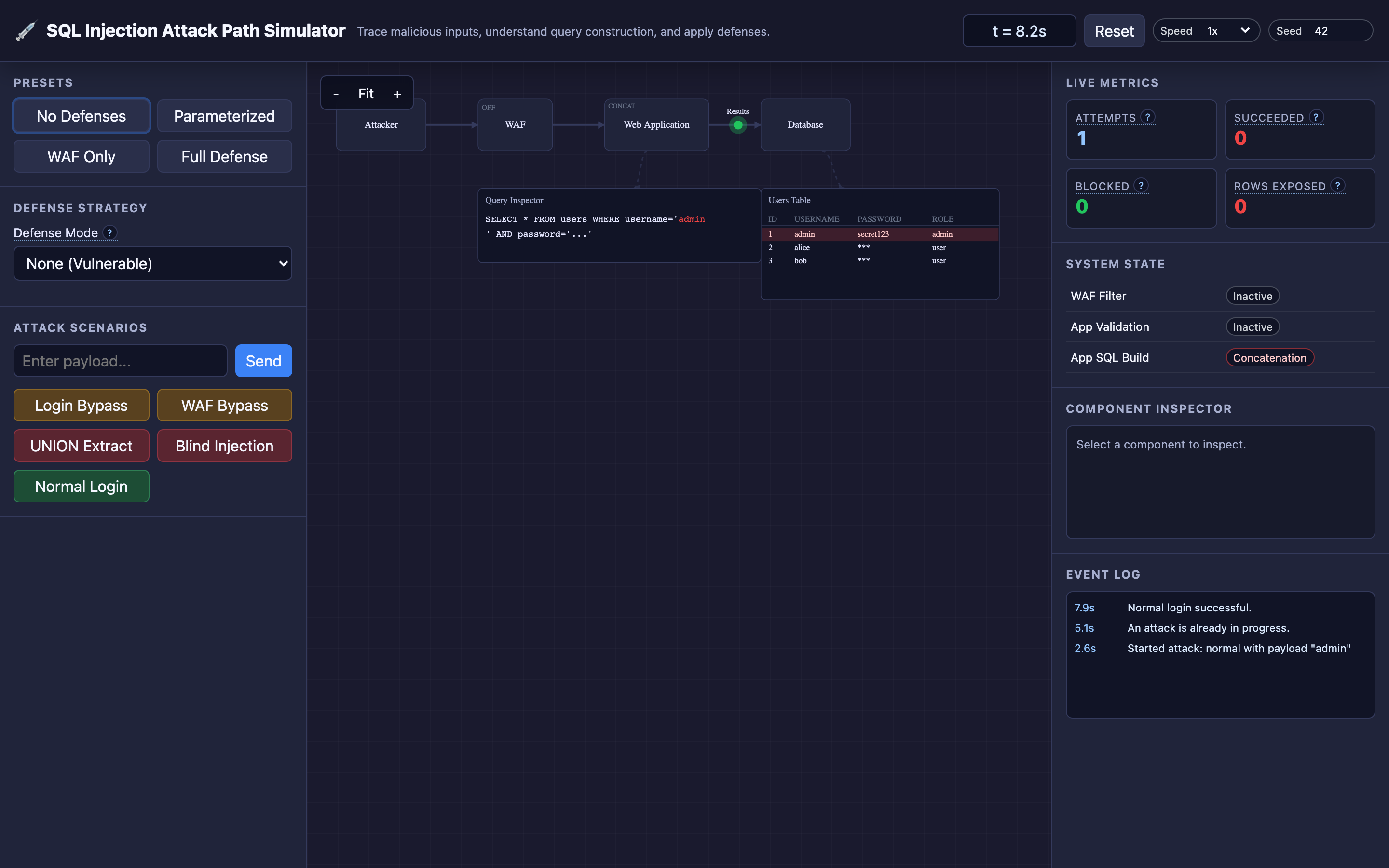
Reading about SQL injection is one thing — watching a ' OR '1'='1 payload flow from the browser through a WAF, into vulnerable string concatenation code, and out to the database returning all user records makes the vulnerability visceral and unforgettable.
Launch the SQL Injection Attack Path Simulator → Switch between defense modes (none, WAF, input validation, parameterized queries), launch preset attacks like Login Bypass and UNION Extract, and inspect each node to see how the payload is processed at every stage.